Building Smarter Enterprise Operations with AI Business Process Automation
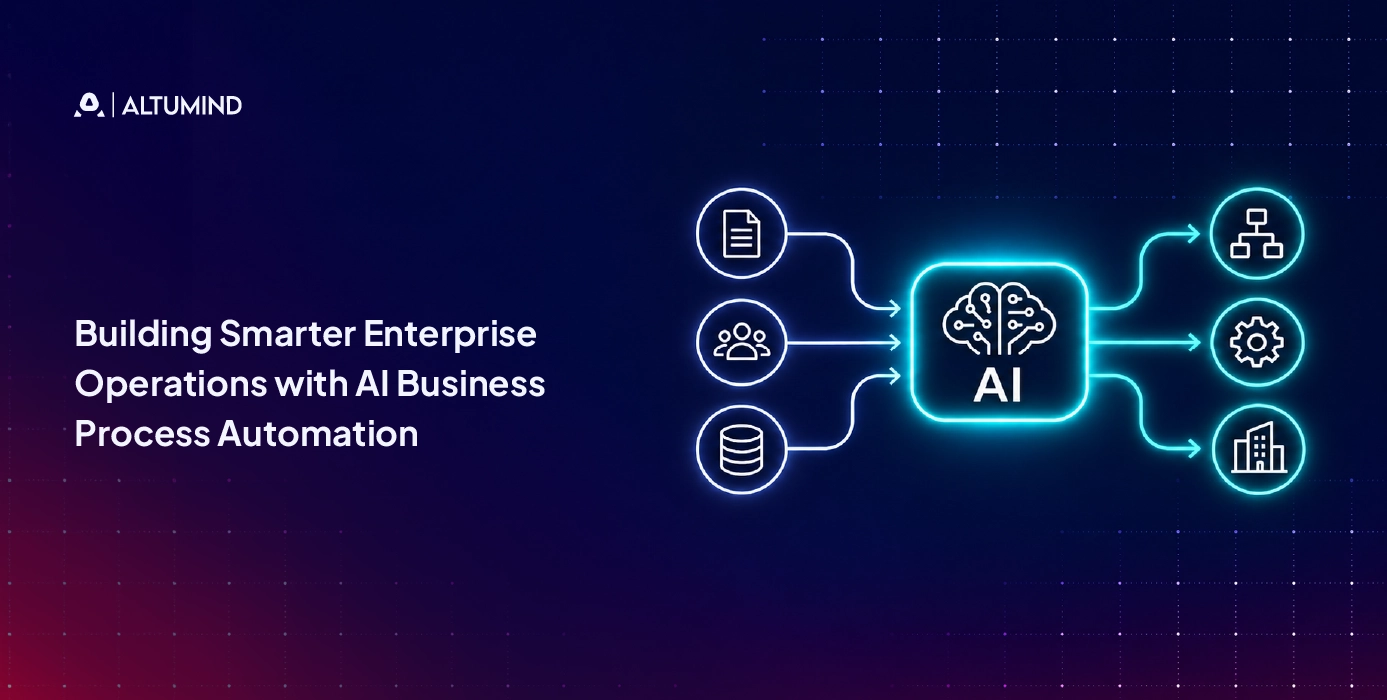
Table of Contents
- Introduction
- What is AI Business Process Automation?
- BPA vs. RPA vs. Workflow Automation vs. AI Automation
- How Does AI Business Process Automation Work?
- Core Capabilities of AI Business Process Automation
- Where Should Your Business Start With AI Automation?
- Which Business Workflows Can AI Automate?
- Why Should You Integrate AI With CRM and ERP Before Replacing Systems?
- What is a Practical AI Automation Rollout Plan?
- How Should You Measure AI Business Process Automation?
- Conclusion
As companies grow, manual processes, disconnected systems, and growing transaction volumes can drag down operations and increase costs. Traditional business process automation can automate repetitive tasks but often falls short when dealing with unstructured information and decisions that require context.
AI business process automation is a technology that combines system integration, workflow automation, and artificial intelligence to help enterprises in the following ways:
- • Process business documents (e.g., contracts, invoices, emails).
- • Automate complicated workflows and repetitive tasks.
- • Identify exceptions to aid in business decisions.
- • Integrate with enterprise applications (CRM, ERP, etc.)
- • Monitor processes and identify bottlenecks in operations.
Integration with legacy systems, reliable data, clear approval controls, and appropriate processes are required for success. This article examines how AI business process automation works, where it can create operational value, and how enterprises can implement and measure it effectively.
What is AI Business Process Automation?
AI business process automation (AI BPA) employs artificial intelligence to manage multi-step business processes. The system offers data understanding, pattern recognition, decision support, and workflow execution between connected systems. AI extends rule-based automation by enabling systems to interpret unstructured information, identify changing conditions, and route exceptions for appropriate review.
BPA vs. RPA vs. Workflow Automation vs. AI Automation
These terms are related, but they describe different approaches and layers within an enterprise automation strategy. BPA focuses on automating end-to-end business processes. RPA automates repetitive, rule-based tasks, often through existing user interfaces. Workflow automation coordinates tasks, approvals, and handoffs, while AI adds capabilities such as information extraction, classification, prediction, and contextual decision support.
| Approach | What it does | Best fit | Example |
|---|---|---|---|
| Business Process Automation (BPA) | Automates an entire business process across systems and people. | Connected and repeatable business processes. | Managing an order from placement through processing and fulfillment. |
| Robotic Process Automation (RPA) | Uses software bots to perform repetitive, rule-based digital tasks. | Tasks involving structured inputs and consistent steps. | Entering invoice data into an enterprise resource planning (ERP) system. |
| Workflow Automation | Transfers tasks, records, and approvals between people or systems based on predefined rules. | Task routing and process coordination. | Routing a purchase request to the appropriate approver. |
| AI Automation | Uses Artificial Intelligence to interpret information, classify inputs, generate outputs, and support decisions. | Processes involving unstructured or variable information. | Reading an invoice, identifying a discrepancy, and sending it for review. |
AI reads an invoice, and an RPA bot enters the approved information into a legacy application. RPA can work together with AI. Workflow automation handles the handoffs, and BPA builds these tasks into the overall procure-to-pay process. Microsoft also separates the AI ability to interpret unstructured information from the rule-based task execution of RPA.
How Does AI Business Process Automation Work?
AI BPA connects information, decisions, and actions across a process. A typical implementation follows this sequence:
- Capture information: Collect data from forms, emails, documents, customer records, and business applications.
- Interpret context: Use AI to classify requests, extract relevant details, and identify missing information.
- Apply business rules: Check permissions, thresholds, policies, and decision criteria.
- Execute workflow steps: Update records, create tasks, send notifications, or trigger connected automations.
- Manage exceptions: Pause uncertain or high-risk cases and send them to the right employee.
- Record outcomes: Store actions, approvals, and results for monitoring and audit purposes.
The process needs access controls, clear ownership, and an audit trail. AI should not independently approve payments, change sensitive records, or make high-impact decisions unless the organization has explicitly authorized that level of autonomy. More advanced agentic systems for business automation can coordinate multi-step actions, but they also require defined permissions, governance, and human oversight.
Core Capabilities of AI Business Process Automation
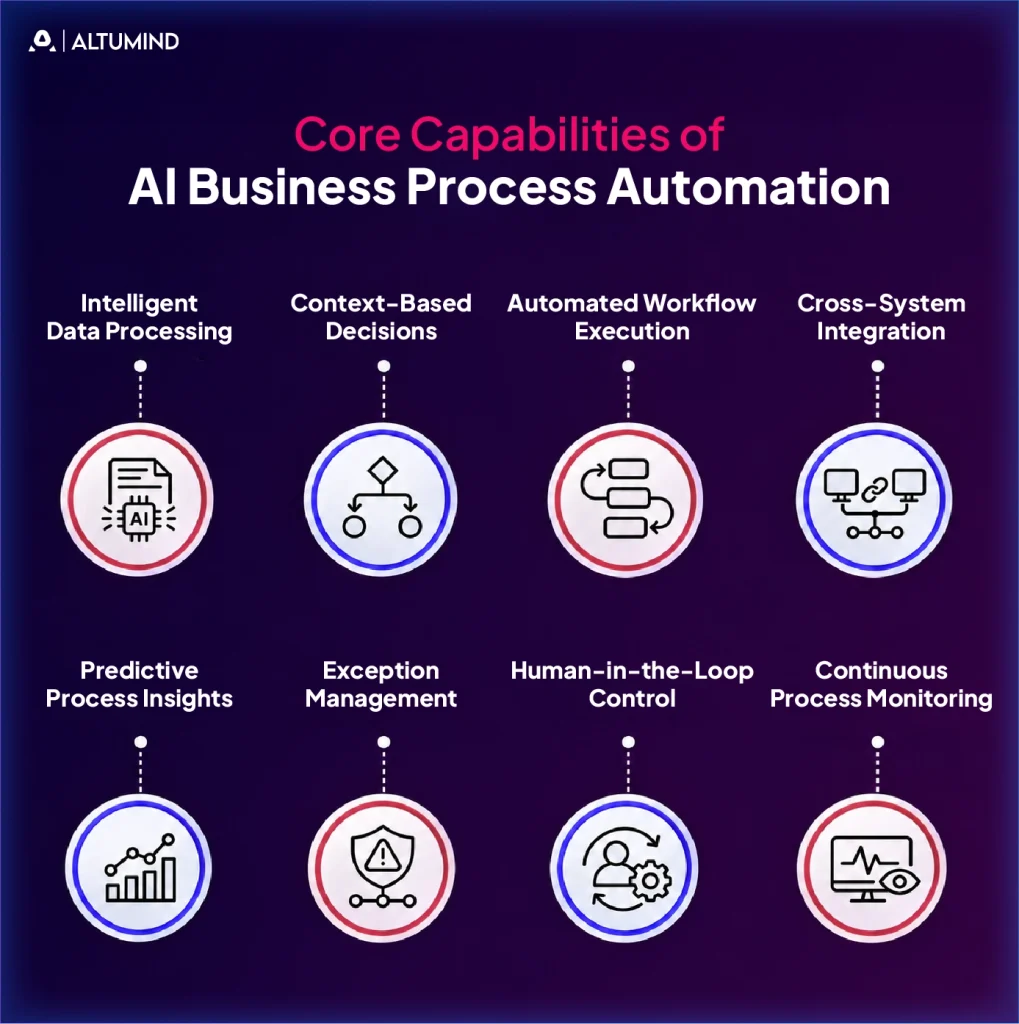
AI business process automation is the integration of AI, system integration, and workflow orchestration to manage business processes across departments. Its basic capabilities allow organizations to monitor process performance, support operational decisions, coordinate tasks, and manage information across departments.
1. Intelligent Data Processing
AI models can process business documents such as invoices, contracts, emails, and purchase orders. They can extract relevant information, classify documents, and convert unstructured content into structured data for downstream business processes.
For instance, it can extract supplier details and payment terms from invoices, and then compare them with purchase orders. It makes processing information faster for staff and reduces the need for staff to enter data manually.
2. Context-Based Decisions
AI systems can evaluate predefined policies, historical information, and business data to recommend or initiate the next appropriate action within established decision boundaries.
Generative AI primarily produces content and responses based on user instructions or contextual inputs. Agentic AI systems can use AI models to plan and execute multi-step actions towards defined objectives, subject to their assigned permissions and oversight.
3. Automated Workflow Execution
AI automation can trigger and coordinate tasks across a business process. This includes creating records, assigning tasks, sending notifications, updating applications, and initiating approvals.
For example, it can verify submitted information, find missing pieces, start the verification process, and create customer records after getting the required approvals when onboarding a customer. The same capabilities apply to agentic AI use cases in enterprise operations.
4. Cross-System Integration
AI automation connects applications like CRM, ERP, HR, finance, and customer service platforms, allowing information to move across departments with less manual data entry and fewer disconnected handoffs.
For example, a confirmed sales order may trigger an inventory check, an ERP update, and a notification to the fullfilment team. Where such integrations require custom applications or functionality, digital product development can accommodate the technical requirements.
5. Predictive Process Insights
AI analyzes historical and current process data to find patterns, predict delays, and highlight possible problems. It could analyze delivery records of suppliers, stock levels, and shipment notices to identify potential breaks in the supply chain. Such insights enable managers to identify emerging risks and take corrective action earlier.
6. Exception Management
AI helps flag conflicting records, inaccurate entries, missing information, and unusual transactions as part of automated workflows. It can classify those issues and direct them to the appropriate employee for review.
For example, if the purchase order and the invoice amount differ, the system may flag the difference instead of automatically processing the invoice. This allows routine invoices to continue through the standard workflow while employees review discrepancies that require manual intervention.
7. Human-in-the-Loop Control
AI automation means that employees are involved in decisions where judgment, approval, or accountability is required. It can prepare information, identify possible problems, and suggest actions while authorizing employees to review and approve sensitive transactions. For instance, an AI could identify unusual clauses in a contract and bring them to the attention of the legal team. This is a combination of automation and human supervision.
8. Continuous Process Monitoring
AI automation tracks workflow activity, completion times, errors, exceptions, and manual interventions. Managers can use this data to spot areas where there are opportunities for improvement and recurring problems and identify delays.
For example, a customer service team can track the number of inquiries that automation addresses and those that need employee help. Regular monitoring can help businesses evaluate their performance and optimize their workflows.
Where Should Your Business Start With AI Automation?
Choose a process that is routine, consumes employee time, produces measurable errors, and has readily available data. Avoid prioritizing complex processes solely because they have high visibility.
This scoring grid is intended to compare potential workflows. Rate each factor on a scale of 1 to 5, with 5 being the strongest case for automation.
| Evaluation Criteria | 1 Point | 5 Points |
|---|---|---|
| Process Volume | The process occurs infrequently. | The process occurs every day. |
| Error Rate | Very few mistakes occur. | Errors occur frequently and can be measured. |
| Exceptions | Most cases require individual judgment. | Most cases follow a consistent, repeatable pattern. |
| Data Readiness | Data is missing, incomplete, or scattered. | Data is consistent, accessible, and usable. |
Add the 4 scores to get a total of 20. The higher the score, the more qualified the candidate is, but this does not mean that the candidate will be approved. Also, one should consider the cost of a wrong action, business risk, integration effort, and compliance requirements.
See the actual workflow records before you select a process. Process mining may use event logs from systems such as CRM and ERP platforms to uncover the flow of work, where delays are happening, and where rework is occurring.
Which Business Workflows Can AI Automate?
The right use cases are dependent on the level of human judgment, quality of data, volume of processes, and existing systems.
| Department | Workflow | What AI Can Handle | Measurable Outcome |
|---|---|---|---|
| Finance | Invoice Processing | Extract invoice fields, match purchase orders, and identify discrepancies. | Processing time and error rate. |
| Finance | Account Reconciliation | Compare financial records and identify unmatched entries. | Reconciliation time. |
| Human Resources | Employee Onboarding | Collect employee documents, track onboarding tasks, and initiate system requests. | Onboarding completion time. |
| Sales | Lead Qualification | Classify leads, summarize customer interactions, and update CRM records. | Lead response time and qualified leads. |
| Marketing | Campaign Operations | Create content variations, segment audiences, and analyze campaign performance. | Campaign turnaround time and conversion rate. |
| Customer Service | Inquiry Handling | Respond to routine queries, categorize requests, and route complex cases. | Resolution time and escalation rate. |
| IT | Service Desk Triage | Categorize tickets, suggest fixes, and route incidents to the appropriate teams. | Ticket resolution time. |
| Procurement | Purchase Order Management | Review purchase requests, verify documents, and route approval requests. | Purchase order cycle time. |
| Supply Chain | Order Exception Handling | Identify delivery delays, compare inventory data, and alert relevant teams. | Order exception rate. |
| Legal and Compliance | Contract Review | Extract contract clauses, flag deviations, and route documents for review. | Contract review time and correction rate. |
Why Should You Integrate AI With CRM and ERP Before Replacing Systems?
Connect AI automation to the CRM, ERP, and other core applications your business already uses before considering a platform replacement. Existing systems hold customer records, financial transactions, inventory data, supplier information, and operational history that automated processes need.
An integration-first approach can help businesses:
- • Keep existing records consistent: Reduce duplicate data entry and conflicting versions of customer, supplier, or order information.
- • Preserve existing investments: Add automation without immediately replacing systems employees already depend on.
- • Connect departmental work: Move approved information between sales, finance, procurement, and operations.
- • Maintain oversight: Apply existing access permissions and record workflow activity across connected systems.
Start by checking API availability, data ownership, access permissions, and integration limits. Use controlled connections and test updates in a non-production environment before enabling live transactions.
What is a Practical AI Automation Rollout Plan?
A focused rollout gives teams time to understand the process, test the automation, and measure results before expanding it.
| Stage | Timeline | Main Activities | Expected Outcome |
|---|---|---|---|
| Research and Preparation | Weeks 1-3 | Assess data, review business rules, identify bottlenecks, map workflows, and plan system integrations. | Defined implementation scope and prioritized workflows. |
| Pilot Implementation | Weeks 4-10 | Configure workflows, connect systems, test routine and exception cases, train users, and monitor results. | First live automation and initial performance data. |
| Optimization | Weeks 11-16 | Improve task routing, correct errors, address edge cases, and refine workflow controls. | More consistent workflows and measurable improvements. |
| Expansion Planning | Month 5 onward | Validate the business case and identify the next suitable process for automation. | Approval and roadmap for the next phase of automation. |
The first pilot must have a clear owner, a baseline measure, and conditions for human review. Fix all issues that lead to unreliable results or unnecessary work for employees before scaling the workflow.
How Should You Measure AI Business Process Automation?
Measure operational results against a baseline recorded before implementation. Automation volume alone does not show whether a process has improved.
Start with these core metrics:
- • Time saved: Compare the time required to complete a process before and after automation. Include employee review and correction time.
- • Error rate: Track incorrect entries, failed matches, rejected outputs, and rework. Separate AI errors from existing process errors.
- • Throughput: Measure the number of transactions or cases completed within a set period, while monitoring quality and backlog.
Additional measures may include cost per transaction, average cycle time, exception rate, and human intervention rate as the program matures. Report results over comparable periods and account for changes in transaction volume. Regular system maintenance and performance reviews also help keep automated workflows reliable as business requirements change, particularly across managed IT operations.
Conclusion
AI business process automation can help enterprises connect repetitive tasks, business decisions, and cross-department workflows. The strongest starting point is a high-volume process with measurable errors, accessible data, and clear ownership. Integrate with existing CRM and ERP systems, keep people involved in sensitive decisions, and measure time saved, error rates, and throughput.
With 10+ years of digital transformation experience, Altumind supports businesses building connected AI and automation solutions through its AI automation services, helping organizations connect systems and automate business workflows. Ready to improve your business operations with AI? Connect with Altumind to discuss an automation strategy aligned with your business goals.

Author
Founder & CEO
Bhargava Ghatty is the Founder and CEO of Altumind, leading the company’s vision at the intersection of AI, technology, and digital transformation.
He brings a strategic perspective to enterprise transformation, innovation, and the practical adoption of emerging technologies, with a focus on helping businesses translate technology investments into meaningful and sustainable business outcomes.
Table of Contents
- Introduction
- What is AI Business Process Automation?
- BPA vs. RPA vs. Workflow Automation vs. AI Automation
- How Does AI Business Process Automation Work?
- Core Capabilities of AI Business Process Automation
- Where Should Your Business Start With AI Automation?
- Which Business Workflows Can AI Automate?
- Why Should You Integrate AI With CRM and ERP Before Replacing Systems?
- What is a Practical AI Automation Rollout Plan?
- How Should You Measure AI Business Process Automation?
- Conclusion